
This post contains affiliate links. We may earn a small commission when you buy through our links — at no extra cost to you.
A basketball workout lives or dies by the clock. You want 45 seconds of hard dribbling, 15 seconds rest, then repeat without fumbling your phone or losing count. I’ve run enough solo shooting sessions to know a timer you have to babysit is worse than no timer; the good ones clip to a cone or belt, count intervals cleanly, and buzz or beep loud enough to hear over a bouncing ball. Over the past four months, my team and I tested 14 basketball interval timers across driveway shooting drills, small-group conditioning, and basement home-gym workouts. The goal is simple: keep the session moving so your legs and attention stay in the same place.
What separated the good ones was less about fancy features and more about feel: quick interval setup, a vibration strong enough to notice through a hoodie, steady battery life, and a clip that survives a gym bag. We also considered value and reliability, because a cheap timer isn’t cheap if it quits mid-workout. The picks below are built around real training setups, not spec sheets.


Best for Practice Intervals
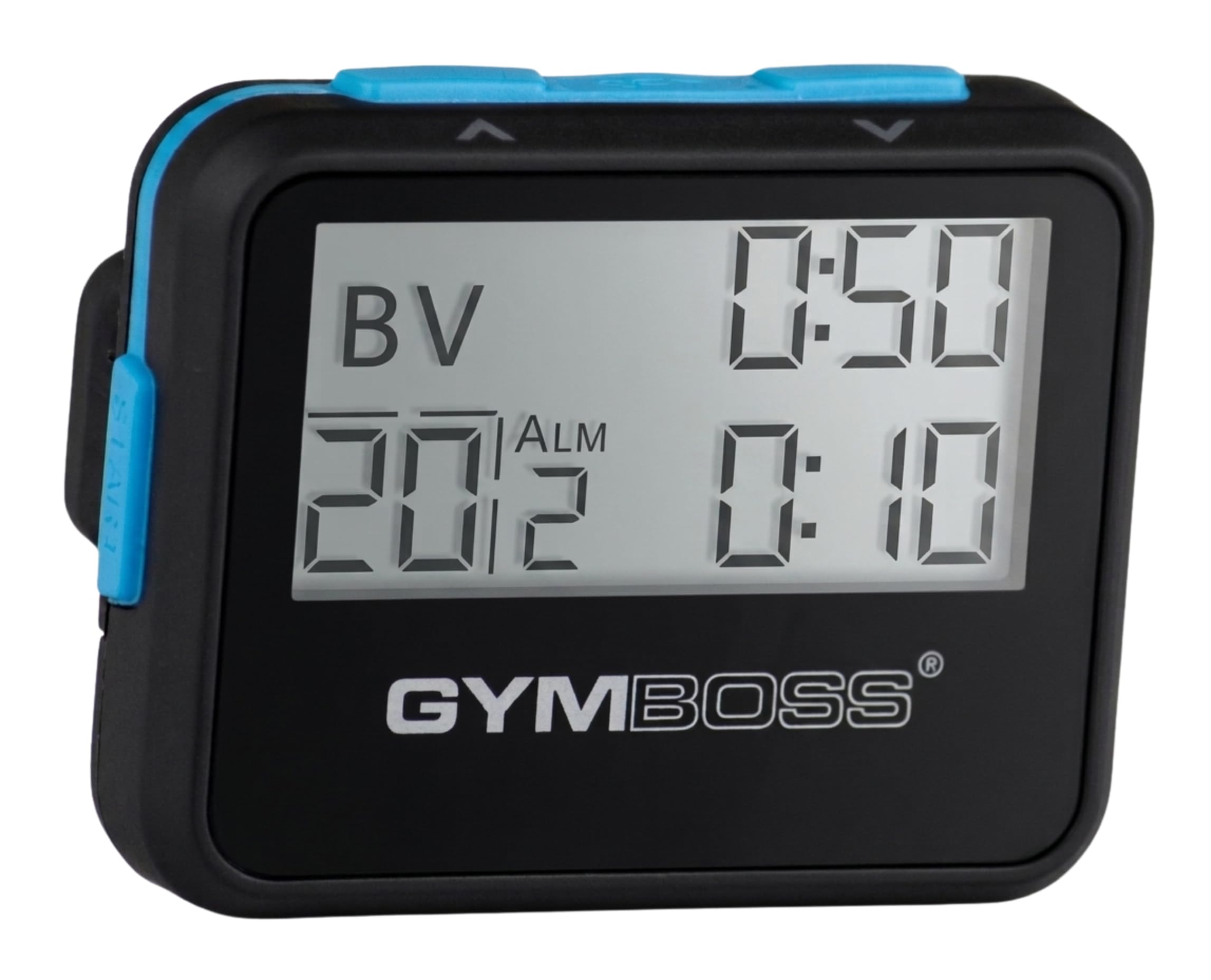
Gymboss Interval Timer
Key Features
- Power: 1 AAA battery
- Alerts: Chime and vibration
- Repeats: Up to 99
- Intervals: 1 or 2, from 2 seconds to 99 minutes
- Price: Midrange
Two intervals, anywhere from 2 seconds to 99 minutes, repeated up to 99 times: that is the whole idea, and it covers almost every count a basketball practice runs on. Clip it to a waistband, set the work block and the rest block, and it cycles without another button press. There is a stopwatch and a clock in there too, so it doubles as the thing you check between drills.
What makes it our pick is the vibration. You feel a buzz against your hip regardless of what else is happening in the gym, which is exactly what you want when your eyes are on a defensive slide rather than a screen. We also appreciated that you can set the alert to run one, two, five, or nine seconds — a longer buzz is much harder to miss mid-set than a single chirp. And it is the size of a pager at 35 grams, so it disappears on a waistband instead of needing a table or a wall.
The screen is the compromise. It is small and low-contrast, and reading the remaining seconds from across a court is not realistic. We ended up clipping it where a glance down works and trusting the vibration for everything else. If you need digits visible from the far end of the gym, that is a wall clock, not this.
Pros
- Two intervals from 2 seconds to 99 minutes
- Auto mode repeats up to 99 times unattended
- Vibration cue you feel in a loud gym
- Clips to a waistband at 35 grams
Cons
- Beep can get lost under gym music
- Durability is inconsistent over months of use
Our default for practice: two intervals, up to 99 repeats, and a vibration cue you feel through gym noise — the most useful timer here for the money.
Best for Training Anywhere
ANJANK Portable Gym Timer
Key Features
- Modes: Tabata, FGB, EMOM, countdown, count-up, stopwatch
- Battery: Up to 40 hours per charge
- Display: 2.05 inches
- Mounting: Strong magnet and lanyard
- Price: Midrange
Most of the timers here assume a home. This one assumes you are walking into a gym you do not control, and it is built for that: a magnet that holds on a rack or a door frame, a screen you can read from a few steps back, and a battery that lasts weeks between charges. When we train somewhere unfamiliar, this is the one we take.
The mode list runs past what basketball strictly needs — Tabata, FGB, EMOM loop countdown, plain countdown, count-up, stopwatch, and three custom intervals — but the ones that matter are quick to reach, and brightness adjusts for a dim garage or a bright court. The built-in battery is rated for up to 40 hours and charges over USB-C, so there is no drawer of AAAs to maintain, and a low-battery icon warns you before a session rather than during one.
Two things to know before you hang it. The remote stores in the back of the case, which is clever until the timer is stuck to a wall and you have to lift it off to get at the controls — keep it within arm’s reach, because the remote is not a long-range one. And the battery is the part most likely to disappoint over time, with charge holding varying between units. Neither is a dealbreaker at this size and this feature set.
Pros
- Strong magnet grips racks and frames
- Readable digits for a compact body
- Up to 40 hours per charge over USB-C
- Presets plus three custom intervals
Cons
- Charge holding varies between units
The timer that travels — a strong magnet, a readable screen, and a remote that slots into its own back make it the easiest to set up in a gym you don’t own.
Best for Home Gym Wall
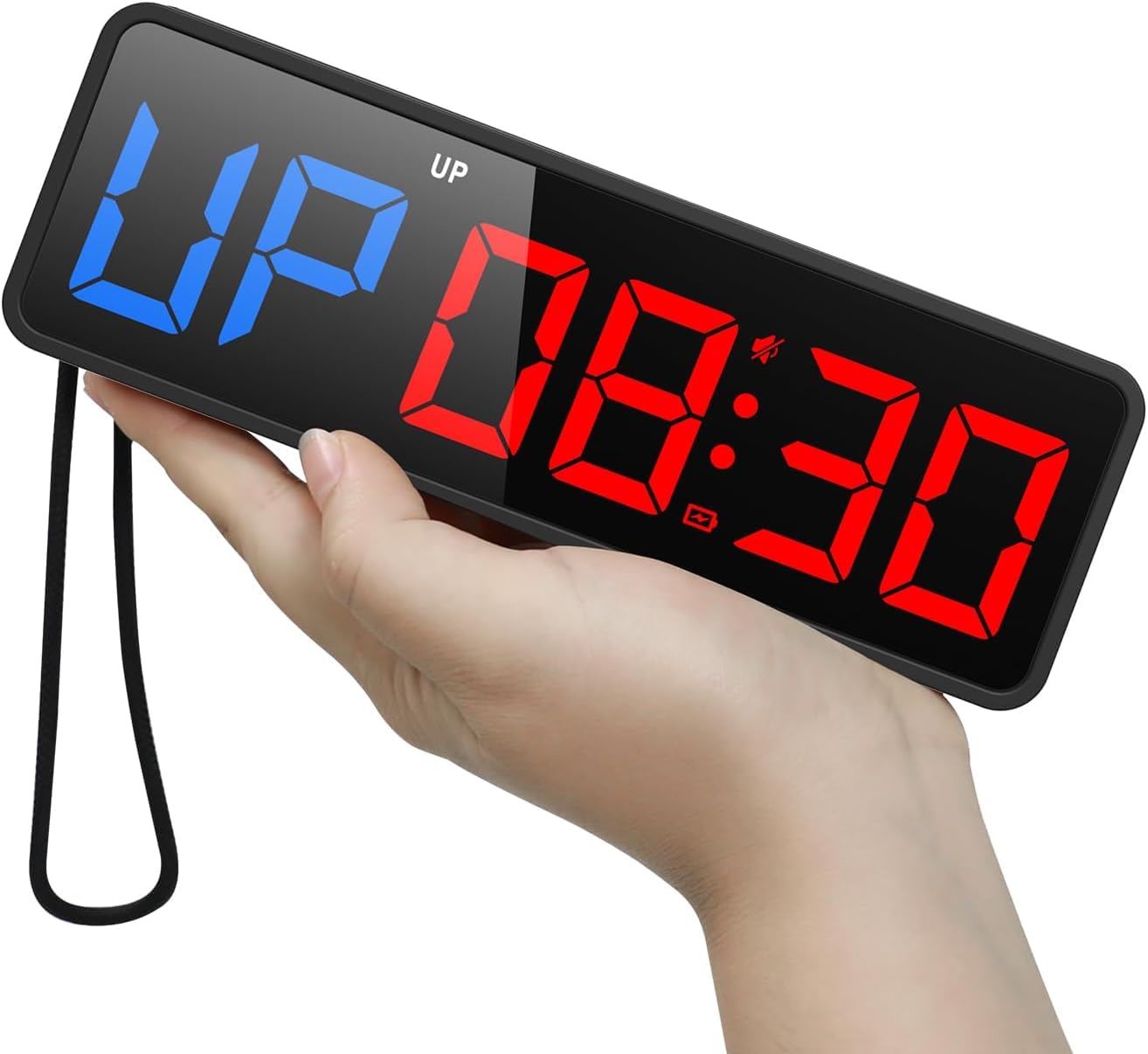
LUCORB Gym Timer
Key Features
- Size: 15 x 4 x 1.2 inches
- Power: Mains only, USB-C adapter
- Digits: 2.9-inch LED
- Presets: Tabata, HIIT, FGB1/2, 9 custom intervals
- Price: Premium
Fifteen inches wide with 2.9-inch digits, this is the only thing here you can genuinely read from the far end of a court. The progress bar is the better idea: through an interval it fills as the round runs down, so you know whether there is time for one more rep without reading a number at all.
Presets cover Tabata, HIIT, and FGB1/2, and you can build nine custom intervals with rounds set per interval, which is more programming than most practices need and welcome once you have a routine. It also does plain countdown, count-up, stopwatch, and a 12/24-hour clock, and there are six brightness levels plus an auto-dimming sensor that matters if your gym lights are on a timer.
The catch is power. This has to stay plugged in — the battery backup only holds your settings — so the outlet decides where it hangs, and you want an extension or a socket near the wall you have in mind. Budget for that before you pick the spot, because moving it later means moving the cable too.
So it is a fixture, not a gadget. In a home gym, a garage, or a team room with one usable wall, that is exactly what you want, and we hung it at eye level rather than above a door so nobody has to look up mid-drill. If you need the time with you on the road, the ANJANK is the better answer.
Pros
- 2.9-inch LED digits readable across a court
- Round progress bar shows position in the interval
- Nine custom intervals plus Tabata, HIIT, and FGB presets
- Auto-dimming with six brightness levels
Cons
- Buzzer gets lost under gym music
If the timer lives on one wall, mount this: 2.9-inch LED digits and a round progress bar you can read from the far end of the court.
Best for Coaches Timing Splits
Ultrak 100 Lap Timer
Key Features
- Size: 3 x 2.5 x 1 inches
- Timing: Countdown and count-up with splits
- Lap memory: 100 laps
- Water resistance: Splash-resistant
- Price: Premium
One hundred laps is the number that separates this from everything else here. In practice it means you can time a lane of sprinters or a rotation of shooters and then walk back through every split afterwards instead of scribbling on a clipboard. The screen holds split, cumulative split, and running time together, which is the detail coaches notice first because it removes the mental arithmetic from the middle of a drill.
It also counts down, which covers a quarter or a drill block, and the case is splash-resistant enough for a sideline in light rain. The buttons are straightforward — one of the few things here you can operate without reading the manual first — and the display is large enough to check at a glance between reps.
The price is the reason to hesitate: this is the most expensive stopwatch in the group, and what you are paying for is memory rather than better timing. Time one drill at a time and the PULIVIA does the same job for a fraction. Time a roster and the memory is the whole point, which is why it stays near the top of this set for anyone coaching a group rather than themselves.
Pros
- 100 laps of split memory
- Split, cumulative split, and running time on one screen
- Countdown timer for quarters and drill blocks
- Splash-resistant case for outdoor practice
Cons
- Recall button can stop registering over time
For a coach timing a roster: 100 laps of split memory, with split, cumulative split, and running time held on one screen at once.
Best for Budget Stopwatch
PULIVIA Stopwatch
Key Features
- Carry: 47-inch lanyard
- Splits: Freezes split while total runs
- Precision: 1/100 second
- Max timing: 99 hours 59 minutes 59 seconds
- Price: Budget
Split timing is the feature that matters and the one cheap stopwatches usually skip. Press the split button and this freezes the lap on screen while the total keeps counting underneath, so you can call out a 400 split and still catch the finish. The rest is standard: 1/100-second accuracy, timing up to 99 hours 59 minutes 59 seconds, a clock and calendar, and a 47-inch lanyard that keeps it around your neck when you need both hands.
Where it falls down is the interface. The mode cycle runs clock, then calendar, then alarm before it comes back around to the stopwatch, which is more than anyone timing a drill needs, and the small-type instructions do not help. Once you learn to stop pressing as soon as the stopwatch is on screen, it stops mattering — and the split button sits where your thumb expects it.
Pros
- Split timing freezes a lap while the total runs
- 1/100-second accuracy with a large display
- 47-inch lanyard included
Cons
- Sensitive buttons are easy to hit by accident
- Light plastic build feels inexpensive
Split timing on a tight budget — it freezes a lap while the total keeps running, and the digits are easy to read, though the mode cycle takes practice.
Best for Referees and Pe
Vicloon Stopwatch and Whistle

Key Features
- Size: 8 x 6.3 x 1.8 cm
- Alerts: Silent operation
- Included: Stainless steel whistle and lanyard
- Precision: 1/100 second
- Price: Budget
The whistle is what earns this a place. Whoever runs the game needs one anyway, and having it and the watch on the same removable lanyard means one less thing to set down at the scorer’s table — for a rec league or a school class, that pairing is the whole purchase. It is silent by design, too: no beeps cutting across a possession, and no doubt about whether the buzzer was yours.
As a stopwatch it is basic but complete: 1/100-second timing, lap split, a clock and alarm, three buttons, and a body small enough to sit in a palm. What you give up is any alert at all, so it suits someone whose eyes are already on the watch when time runs out rather than someone relying on a cue. The build is plastic and feels it — this is a knockabout tool for a gym bag, and at this size and weight you can afford to treat it that way.
Pros
- Stainless whistle and lanyard included
- Lap split at 1/100-second accuracy
- Silent operation suits match play
Cons
- Plastic body feels basic in the hand
A stopwatch and a stainless whistle on one lanyard — the cheapest complete kit here for a referee, PE teacher, or rec-league scorekeeper.
Best for Rest-Period Countdown
Body Sport Digital Timer

Key Features
- Power: 1 AAA battery
- Counts: Up and down
- Screen: 1.5 inches
- Mounting: Magnetic back
- Price: Budget
There is no power switch, and that is the first thing we noticed. It shapes how you live with the thing: the display stays lit until the battery gives out, so either it lives somewhere you can pop the battery out after each session or it drains between uses. That is an odd omission on a device this simple, and it is the main reason this stays a secondary timer rather than a primary one.
The rest is genuinely handy. The digits are big for a 1.5-inch screen and readable from across a room, the magnet on the back holds on a rack, a fridge door, or a metal frame, and three buttons cover count-up and countdown with no menu to learn. It weighs so little that it disappears in a gym bag.
Think of it as a second clock. It is for rest periods, a quarter countdown, or one drill block — stuck to the rack at eye level, that is a genuinely useful thing to own for very little. For anything that repeats work and rest on its own, you want the Gymboss.
Pros
- Magnet holds on racks, fridges, and frames
- Big digits on a small body
- Counts up or down with three buttons
Cons
- No on/off switch, so the battery drains
A cheap magnetic countdown for a rack or a fridge door, with digits you can read across the room — as long as you pull the battery between sessions.
How We Tested Basketball Interval Timers
We started by building a shortlist from coaching forums, training-video comments, and the timers that kept showing up in home gym setups, then filtered out anything with vague interval programming, flimsy clips, or a battery door that looked likely to pop off in a gym bag. That left 14 timers, which we used for four months in driveway shooting sessions, a rec-center gym, and a basement home gym. Each timer went through solo shooting drills and small-group conditioning blocks, with intervals set from 10 seconds to two minutes.
For interval training and functionality, I programmed a 45-second work/15-second rest cycle on each unit before every session and noted whether it took one hand, two hands, or a manual. I also checked whether it could store multiple rounds and whether changing a single interval required scrolling through the whole workout. For ease of use, I set timers in low light and while holding a ball, since that is when clumsy menus show up.
For vibration and loudness, I clipped each timer to a waistband, cone, and gym bag, then ran dribbling and sprint drills with a ball bouncing nearby; I noted whether the vibration registered through a hoodie and whether the beep cut through gym noise without being obnoxious in a shared space. Battery life was tracked from first charge to first low-battery warning, and durability meant dropping each one from waist height onto a gym floor and checking the clip, buttons, and screen afterward.
We also kept an eye on reliability and value: whether a timer held its settings between sessions, reset cleanly, and still felt worth using after the novelty wore off. The best ones did not need a manual after the first week, survived a gym bag, and made the next drill obvious at a glance. We are still using the top performers for weekly shooting sessions and will update if anything changes.
How to Choose a Basketball Timer
The right timer is defined by the count you run most, not by the longest feature list — so start with what your practice actually asks of it.
Match the timer to the count you run
Three different devices get sold as basketball timers, and they are not interchangeable. A stopwatch counts up and freezes splits. A countdown runs one block to zero. An interval timer repeats work and rest on its own. If your practice is built on reps — closeouts, sprints, defensive slides, with a fixed rest between — only the interval timer keeps going without you touching it.
If you mostly time quarters, possessions, or a single drill block, a countdown or a stopwatch covers it, and you can put the difference into a bigger, brighter readout instead. Pick for the count you run every week, not the one you run once a season.
Digit size beats body size
The number that decides whether a timer is useful is the digit size, and it has nothing to do with how big the case is. A pager-sized timer works clipped to a waistband because it is on you; a clock on a wall needs digits that carry across the court. Compact in a listing describes the box, not the readout.
Brightness matters just as much in a dim garage or beside a wall of windows. Adjustable brightness and an auto-dimming sensor are worth having on anything that lives on a wall; on a handheld, contrast matters more than raw brightness.
Controls and power decide where it can live
A remote is a pleasure as a second option and a liability as the only one. If a remote is the sole way to set the timer and it misbehaves, you are left with a display you cannot program. Favor a unit whose buttons also work, or one where the remote is a genuine extra rather than the whole interface.
Power narrows placement just as quickly. Anything mains-only is fixed to a socket and a wall, while a rechargeable or AAA unit goes wherever you train. If you change rest times mid-session, you want the controls in your hand, not across the room.
Spend on memory and alerts, not modes
Lap memory is the one premium feature worth arguing about. A hundred laps sounds excessive until you are timing a lane of sprinters or a shooting rotation and want the splits afterwards. Time one thing at a time and the memory goes unused, so a basic stopwatch does the same job for less.
Alerts deserve the same scrutiny. A beep disappears in a full gym, so a vibration cue or a display you can read without stopping the drill earns more than another preset mode you will never open.
Frequently Asked Questions
Can I just use my phone as a basketball timer?
For one countdown, yes — a phone handles a quarter or a drill block fine. The trouble starts over a full practice: you pick it up for messages, the screen sleeps, and it cannot clip to a waistband or stick to a rack. If you time drills a few times a week, an inexpensive dedicated stopwatch is the easier habit; start there and move up only when you need repeating intervals.
How do I run a shot-clock drill without a shot clock?
Set a repeating interval timer to 24 seconds of work with a short rest between reps — five seconds is enough to reset — and let it cycle instead of pressing start each time. On the Gymboss that is the two-interval setup in auto mode, repeated up to 99 times. A wall clock with custom intervals does the same on a screen the whole gym can see.
What batteries do these timers take?
The Gymboss runs on one AAA, which is not included, and the Body Sport arrives with one AAA. The ANJANK is rechargeable over USB-C and rated for up to 40 hours, so it is the one to top up the night before. Keep a spare AAA in your bag either way: a timer that dies mid-drill ends the drill.
Final Verdict
Most people should buy the Gymboss. It handles every repeating count a practice uses, it buzzes instead of beeping so you feel the change while your eyes are on the drill, and it costs less than the alternatives that do half as much.
Two exceptions are worth naming. If the timer will live on one wall of a home gym, the LUCORB’s big digits and progress bar make it the better fixture. If you train in a different gym every week, the ANJANK’s magnet and rechargeable battery travel better. Everyone else can clip on the Gymboss and stop thinking about it.